Website content checklist: What blocks your site needs and how to prepare texts and photos
Building a website is much easier when you have your content ready before you start. But what exactly should you prepare? Which pages and sections does your website need? What should you write in each block, and what images to prepare?
Contents
TL;DR
- Website structure. Decide which pages you need, such as Home, About Us, Services, and Contact.
- Homepage sections. Plan your hero, services, benefits, testimonials, FAQ, and contact form.
- Website copy. Write headlines, descriptions, calls to action, company info, and answers to common customer questions.
- Business information. Gather your contact details, address, working hours, pricing, service descriptions, etc.
- Photos and visuals. Collect your logo, team photos, product images, portfolio examples, and other relevant visuals.
- Image files. Prepare appropriately sized, optimized images in formats such as JPG, PNG, or WebP.
- Final review. Check that every page has the necessary content, working links, clear CTAs, and accurate information.
1. Plan your website structure: What pages should a website have?
Start with the pages your visitors need, not with the design. Your website structure should reflect what your business offers, what customers want to know, and what action you want them to take.
You don’t need dozens of pages to create a professional website. A small business website can often start with just 3-5 essential pages.
| Page | What to include | What to prepare |
| Home | A summary of your business, main offer, benefits, and key information | Main headline, short business description, services, key photos, CTA |
| About Us | Your story, experience, team, mission, and values | Company background, team information, milestones, photos |
| Services or Products | Detailed information about what you sell or offer | Descriptions, prices, features, product photos, benefits |
| Contact | Ways to reach you and find your business | Email, phone, address, opening hours, social media links |
| FAQ | Answers to common customer questions | Questions about pricing, delivery, booking, services, and policies |
Depending on your business, you might also need:
- Portfolio or Projects. For agencies, designers, photographers, contractors, and other service providers.
- Testimonials or Reviews. To showcase customer feedback and build trust.
- Pricing. To explain your packages, service costs, or subscription options.
- Blog. To publish helpful articles, share expertise, and attract organic search traffic.
- Online Store. To display products, prices, and purchasing options.
- Booking Page. To let visitors schedule appointments or consultations.
- Legal Pages. Privacy Policy, Terms and Conditions, Cookie Policy, and other documents relevant to your business and location.
You don’t necessarily need a separate page for every item. For example, testimonials, FAQs, and contact information can all be placed on your homepage.
Build a website that’s easy to navigate! Learn which essential parts every website needs and how to organize them into a clear, user-friendly structure. Explore practical tips for choosing the right website sections, arranging your pages, and helping visitors find what they’re looking for.
Read about essential parts of website structure
Check out what pages should a website have
2. Plan your homepage design: What website sections should your website have?
Your homepage content is often the first page visitors see, so it should quickly explain what your business does, who it helps, and why people should choose you.
A good homepage design isn’t about including every possible section. It’s about arranging the information in an order that helps visitors understand your offer and take the next step.
How to make website homepage: Essential sections
| Website section | What it does | What to prepare |
| Hero | Introduces your business and main offer | Headline, subheadline, primary CTA, background or main image |
| Services or Products | Explains what you offer | Service names, descriptions, prices, features, product photos |
| Benefits | Shows why customers should choose you | 3-5 key advantages, supporting facts, icons or illustrations |
| About Us | Introduces your company or team | Short company description, experience, team photos |
| How It Works | Explains your process | 35 steps, short descriptions, supporting visuals |
| Portfolio or Projects | Demonstrates your experience | Project photos, descriptions, results, client names (with permission) |
| Testimonials | Builds trust through customer feedback | Reviews, customer names, photos (with permission) |
| Pricing | Explains costs and packages | Prices, package descriptions, what’s included |
| FAQ | Answers common questions | 4-8 relevant questions and concise answers |
| Contact | Shows visitors how to reach you | Phone, email, address, business hours, social links |
| Contact Form | Collects inquiries and requests | Form fields, instructions, confirmation message |
| Final CTA | Encourages visitors to take action | Short persuasive headline, supporting text, CTA button |
You don’t need every block on every website. A restaurant, for example, may need a menu, location, opening hours, and reservation form. A consulting business may benefit more from service descriptions, case studies, testimonials, and a consultation CTA.
Skip the website planning! You don’t have to figure out every page and section on your own. Choose a professionally designed Weblium website content template that fits your business, customize the content, and get your website ready the same day.
Browse Weblium’s free website templates
2.1 Hero section
The hero is the first section visitors see when they open your homepage. It should immediately answer three questions: What do you offer? Who is it for? What should visitors do next?
Prepare:
- A clear headline describing your main offer.
- A subheadline explaining its value.
- One primary CTA, such as “Book a Consultation,” “Get a Quote,” or “Shop Now.”
- A relevant hero image, product photo, or illustration.
- An optional secondary CTA if visitors need another way to explore your offer.
Example:
For a cleaning company:
Headline: Professional Home Cleaning That Fits Your Schedule
Subheadline: Reliable residential cleaning services with flexible booking and transparent pricing.
CTA: Book Your Cleaning
2.2 Services or products section
The services / products block introduces your main services or products and helps visitors find what they need.
Prepare:
- Names of your main services or product categories.
- A short description of each offer.
- Key benefits or features.
- Prices or starting prices, if applicable.
- One relevant photo or illustration for each item.
- A CTA such as “Learn More,” “View Services,” or “Shop Now.”
Example:
Instead of writing “We provide residential cleaning services,” explain what the service includes: “Enjoy a spotless home without spending your weekends cleaning. Our team handles kitchens, bathrooms, floors, and more.”
2.3 Benefits section
Use the benefits to explain why someone should choose your business instead of another provider.
Prepare:
- 3-5 specific advantages.
- Short explanations of each benefit.
- Numbers or facts that support your claims, if available.
- Icons, photos, or other visual elements.
Examples:
- Free initial consultation.
- Flexible scheduling.
- Experienced specialists.
- Transparent pricing.
- Personalized service.
2.4 About us
Don’t tell your entire company story on the homepage. A short introduction can help visitors understand who you are and establish a personal connection.
Prepare:
- 2-3 sentences for company introduction.
- Your main experience or specialization.
- One or two details that make your business different.
- A team or workplace photo.
- A link to your full About Us page.
Example:
“We’re a family-owned bakery creating fresh bread and handmade pastries in Austin. Every morning, we prepare our products from scratch using carefully selected ingredients. Stop by for your favorite treats or order a custom cake for your next celebration.”
2.5 Testimonials / reviews
Customer feedback provides social proof and helps visitors feel more confident about choosing your business.
Prepare:
- 3-5 genuine customer reviews.
- Customer names or initials, depending on permission.
- Photos, if customers have agreed to share them.
- Links to public review platforms, if relevant.
Choose reviews that highlight different aspects of your service: quality, communication, convenience, customer support, or results. Never invent testimonials or publish customer photos without permission.
2.6 FAQ section
The FAQ block answers questions that might otherwise prevent someone from contacting you or making a purchase.
Prepare:
- Four to eight frequently asked questions.
- Short, direct answers.
- Links to relevant pages if a question needs a more detailed explanation.
Examples:
- How much do your services cost?
- How can I book an appointment?
- What payment methods do you accept?
- Do you offer delivery?
- How long does the process take?
- Can I request a custom solution?
Use actual questions from customer emails, phone calls, and social media messages whenever possible.
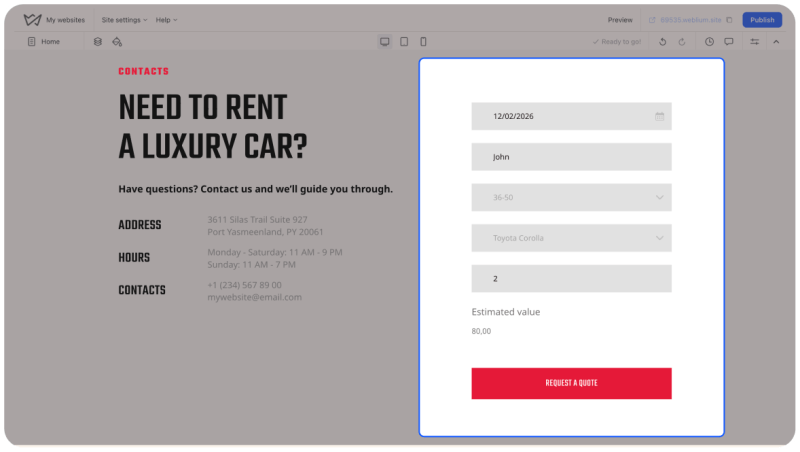
2.7 Contact information and form
Make it easy for visitors to reach you. Don’t make them search through several pages to find your phone number or email. And make sure to tell visitors what happens after they submit the form.
Prepare:
- Business phone number.
- Contact email.
- Physical address, if applicable.
- Opening hours.
- Social media links.
- A Google Maps location or directions, if relevant.
- Contact form fields.
What to include on a small business website contact info? Your name, email, and message is enough. If you need additional information, such as a preferred appointment date or service type, add those fields too.
2.8 Final CTA
Make sure to end your homepage content with a clear next step.
Prepare:
- A short headline that reinforces your offer.
- One sentence explaining what visitors should do.
- A CTA button.
Examples:
- Ready to Get Started? — Book Your Free Consultation.
- Let’s Plan Your Next Project — Request a Quote.
- Find Your New Favorite Outfit — Shop the Collection.
Looking for ideas for your website homepage? See how to combine headlines, visuals, calls to action, and other essential elements into an effective homepage design.
Learn how to make website homepage that works
3. Prepare your About Us page
An About Us page helps visitors understand who is behind your business, what you do, and why they should trust you. It should show how your experience, values, and approach benefit your customers.
| Element | What to write | What to prepare |
| Intro | Who you are and what you do | Company name, industry, location |
| Your story | How and why the business started | Background, founding story, key milestones |
| Mission & values | What matters to your business | Mission statement, core values, approach |
| Experience | What makes you qualified | Years of experience, certifications, achievements |
| Team | Who works behind the scenes | Names, roles, short bios, team photos |
| Your approach | How you work with customers | Process, service standards, key principles |
| Social proof | Why people trust you | Awards, reviews, client logos, results |
| CTA | What visitors can do next | Contact link, booking button, consultation |
You don’t have to include every element. Choose the details that make your business credible and relevant to your audience.
Not sure what to write on your About Us page? Find out how to present your company’s story, values, mission, and team in a way that feels authentic and engaging. Get practical writing tips and real examples.
Learn how to write About Us page for website
4. How to write website content
Good website copy explains your offer, addresses customer needs, and encourages visitors to take action.
4.1. Answer these questions before you start writing
Use this short website content questionnaire to gather the information you need:
About your business
- What is your business called?
- What do you do?
- Where do you operate?
- How long have you been in business?
- What makes your company different?
About your customers
- Who are your ideal customers?
- What problems do they want to solve?
- What questions do they usually ask?
- What concerns might prevent them from buying?
About your products or services
- What exactly do you offer?
- What does each service or product include?
- How much does it cost?
- What are the main benefits?
- How does the purchasing or booking process work?
About your credibility
- What experience or qualifications can you highlight?
- Do you have testimonials or reviews?
- Can you share examples of completed projects?
- Do you have relevant awards, certifications, or results?
About customer actions
- What do you want visitors to do?
- Should they call, book, buy, subscribe, or request a quote?
- What happens after they contact you?
Your answers will become the foundation of your website content plan.
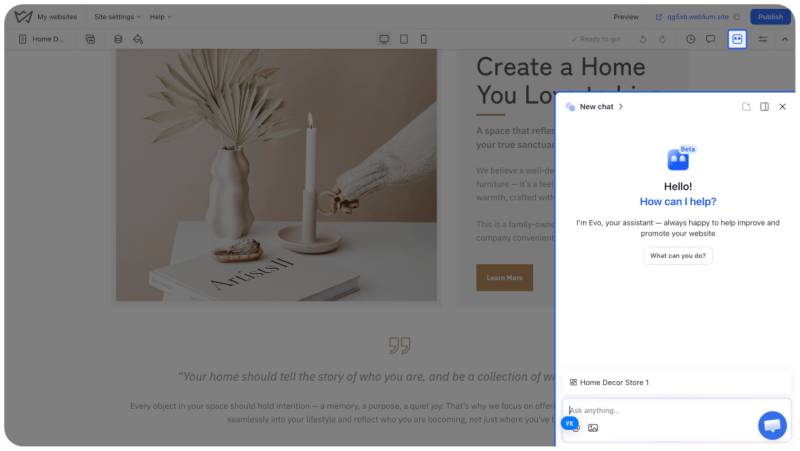
Not sure where to start? Get website content writing done faster with Weblium AI! Use the Evo AI assistant to brainstorm ideas, write and improve your website copy, and get suggestions for your content. You can also use AI blocks to generate ready-made website sections and customize them to fit your business.
4.2. Follow a simple website copywriting formula
If you’re unsure how to write website content, use this basic formula for most sections:
- State the topic. Tell visitors what the section is about.
- Explain the value. Show how your product or service helps them.
- Add supporting details. Include features, facts, examples, or proof.
- Give the next step. Tell visitors what to do if they’re interested.
Example:
Headline: Custom Cakes for Every Celebration
Description: Make birthdays, weddings, and special occasions even sweeter with handcrafted cakes made to order.
Supporting details: Choose your preferred flavor, size, and design. We use fresh ingredients and offer local delivery.
CTA: Order Your Custom Cake
This structure makes your website copywriting clear and easy to follow.
4.3. Website copywriting best practices
Keep these guidelines in mind when preparing your website copy:
- Write for your customers. Focus on their needs, questions, and desired outcomes.
- Use clear, specific headlines. Visitors should understand each section at a glance.
- Keep paragraphs short. Break long explanations into smaller sections.
- Use everyday language. Avoid unnecessary jargon and complicated sentences.
- Highlight benefits. Explain what customers gain, not just what your business does.
- Use facts. Specific details make your claims more convincing.
- Include relevant CTAs. Make the next step obvious.
- Proofread. Check spelling, grammar, punctuation, names, prices, and contact details.
4.4. Organize your website content before building
Create one document or spreadsheet with a separate section for every page and block. Your website content template can follow this simple structure:
| Page or block | Text prepared? | Photos ready? | Final review? |
| Homepage hero |
|
|
|
| Services |
|
|
|
| Benefits |
|
|
|
| About Us |
|
|
|
| Testimonials |
|
|
|
| FAQ |
|
|
|
| Contact |
|
|
|
| Other pages |
|
|
|
Make your website copy work for your business. A good one does more than describe your products or services. Check out how to create the right headlines, persuasive descriptions, and effective calls to action.
Learn how to write website content
5. Prepare website photos and images
You don’t need a professional photo shoot for every website. But you do need relevant, high-quality visuals that support your content.
5.1. What photos do you need for a website?
| Image type | Where to use it | What to prepare |
| Logo | Header, footer, and branding elements | High-quality logo file, preferably SVG or transparent PNG |
| Hero image | Homepage hero | Main product, service, team, or relevant background |
| Product photos | Product pages and store sections | Clear images from different angles |
| Team photos | About Us page | Individual portraits or group photos |
| Workplace photos | About Us, services, and contact pages | Office, studio, shop, or workspace |
| Portfolio images | Projects or gallery sections | Examples of completed work |
| Customer photos | Testimonials and case studies | Photos shared with customer permission |
| Service photos | Services page | Images showing your work or process |
| Background images | Selected sections | Images that work with text overlays |
Prioritize authentic photos whenever possible. Real images of your team, workplace, products, and projects can help visitors understand what makes your business different.
Give your website the right visuals! Get practical tips for choosing website visuals, finding suitable images, selecting the right dimensions, and optimizing them for search engines and page speed.
Learn more about website images and how to use them
Check out the best image size for website
5.2. Which image formats should you use?
For most website photos, JPG or WebP is a good starting point. Use PNG when transparency is important and SVG for vector-based logos or icons.
| Format | Features | Best for |
| JPG/JPEG | Good balance of quality and size | Photographs and realistic images |
| PNG | Can produce larger files | Logos, graphics, and images requiring transparency |
| WebP | Smaller files at comparable quality | Photographs and web graphics |
| AVIF | Efficient compression | Modern website images |
| SVG | Scales without losing sharpness | Logos, icons, and vector illustrations |
| GIF | Use sparingly | Simple animations |
Weblium supports all these uploads. The editor also optimizes uploaded images. Learn more in our Help Center guide.
5.3. Where to find stock photos for a website
If you don’t have enough original photos, you can use stock photos for website. They’re especially useful for backgrounds, illustrations, lifestyle visuals, and generic concepts.
Here are some popular resources:
- Unsplash — free photography with a wide range of subjects.
- Pexels — free stock photos and videos.
- Pixabay — photos, illustrations, vectors, and other media.
- Adobe Stock — a large collection of professional stock assets.
- Shutterstock — stock photography, illustrations, and videos.
A good combination is to use original photos for your products, team, and portfolio, and stock images for supporting visuals.
6. How to prepare content for a website: Your step-by-step workflow
Step 1. Set your goal
Decide what you want your website to achieve. Do you want to collect inquiries, sell products, book appointments, showcase your portfolio, or provide information?
Your goal determines which pages, sections, forms, and CTAs you need.
Step 2. Choose your website pages
Draft a list of essential pages and any additional pages your business requires. Don’t create pages just to make the website look bigger. Every page should serve a purpose.
Step 3. Outline each page
Write down the blocks you want to include on each page. For your homepage, start with the hero, services, benefits, About Us, testimonials, FAQ, and contact section.
Skip the work of building every page from scratch! Use Weblium’s AI blocks to generate ready-made sections in just a few clicks. Add them to your pages, customize the content and design, and bring your website structure to life faster.
Try Weblium’s AI website builder
Step 4. Gather business info
Collect your company details, service descriptions, pricing, team information, customer reviews, and contact details. Use the questionnaire in Section 4 to identify anything that’s missing.
Step 5. Write your website copy
Prepare headlines, descriptions, CTA text, and other content for each block. Keep your writing clear, customer-focused, and consistent. You don’t have to perfect every sentence before building. You can also use Evo AI to get a strong starting point.
Step 6. Collect and optimize photos
Gather original images, choose suitable stock visuals, resize files, and organize everything into labeled folders.
Step 7. Review your materials
Go through every page and block. Make sure you have the necessary text, website images, and supporting information.
Step 8. Start building
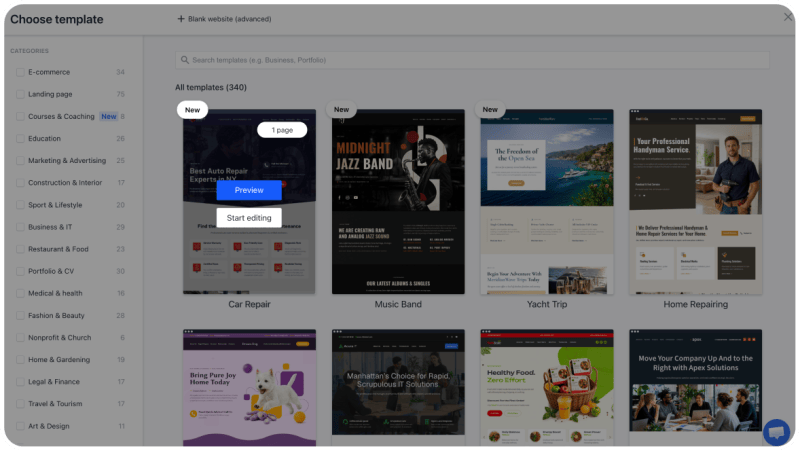
Once your materials are organized, choose a website template. Add your content, customize the design, and preview the result on different devices.
Not sure how to bring all your prepared materials together? Our guide walks you through the website creation process. Use it to move from an idea to a published site with confidence.
Learn how to create a website step-by-step
7. Website content checklist: What to prepare before building
Use this website launch checklist to make sure you haven’t missed anything important. You can work through it directly in the article or copy it into your own document.
Website planning
- Defined the main goal of the website.
- Identified the target audience.
- Listed the pages the website needs.
- Planned the main navigation.
- Outlined the sections for each page.
- Decided what action visitors should take on each page.
Homepage content
- Hero headline and subheadline.
- Main CTA text.
- Short business introduction.
- Services or product descriptions.
- Benefits and key selling points.
- Testimonials or customer reviews.
- Portfolio or project examples, if relevant.
- FAQ questions and answers.
- Contact information and form details.
- Final CTA.
About Us page
- Company introduction.
- Business story and background.
- Mission and values, if relevant.
- Experience and qualifications.
- Team names and short biographies.
- Team or workplace photos.
- Relevant achievements or certifications.
- CTA.
Services or products
- Names of all services or products.
- Short and detailed descriptions.
- Features and benefits.
- Prices or packages / specs if relevant.
- Product or service photos.
- Links to relevant pages or booking options.
Website copy
- Headlines for every page.
- Descriptions for every section.
- CTA text.
- Contact form labels and instructions.
- FAQ answers.
- Correct spelling, grammar, and punctuation.
- Accurate prices, names, and business information.
Website images
- Logo in a suitable format.
- Homepage hero image.
- Product or service photos.
- Team photos.
- Workplace photos.
- Portfolio images, if relevant.
- Testimonials or customer photos, with permission.
- Optimized image sizes and formats.
- Descriptive filenames.
- Alt text for meaningful images.
- Usage rights checked for stock photos.
Final preparation
- All content organized in labeled folders.
- Contact information verified.
- Legal documents prepared, if needed.
- Links and CTA destinations identified.
- Content reviewed for consistency.
- Mobile image crops considered.
- Missing information identified and assigned for completion.
Time to turn your content into a website! Your texts, photos, and page structure are ready. Now it’s time to bring everything together. Choose a Weblium template, add your materials, and customize your website with an easy-to-use editor. You can also use AI tools to generate website sections and get help while editing.
Get started for free
FAQ
What pages should a website have?
Most business websites need Home, About Us, Services or Products, and Contact pages. Depending on your business, you may also need Pricing, Portfolio, FAQ, Testimonials, Blog, or Booking pages. Choose pages based on what customers need to know before contacting you or making a purchase.
What should be on a website?
A website should include a clear description of your business, information about your products or services, customer benefits, contact details, and clear calls to action. Add relevant website sections such as testimonials, FAQs, pricing, and photos to answer customer questions and build trust.
How do I prepare content for a website?
Start by creating a website content plan that lists all your pages and sections. Use a website content questionnaire to gather business information, write headlines and descriptions, collect customer reviews, and prepare relevant photos. Organize everything in a separate document or folder before opening your website builder.
What is the best image size for a website?
The best image size for a website depends on where the image appears. As a starting point, use 1920 × 1080 px for full-width hero website images, 1200 × 1200 px for square product photos, and 1200 × 630 px for blog featured images. Compress images before uploading to reduce file sizes without noticeably affecting quality.
What should I include on a small business website?
A small business website checklist should include a homepage, About Us page, services or product descriptions, contact information, and customer reviews. Depending on your business, add pricing, opening hours, location, booking options, and an FAQ section. Make sure visitors can easily understand what you offer and how to contact you.
Can I use stock photos for a website?
Yes. Stock photos for a website are useful when you don’t have enough original website images. Resources such as Unsplash, Pexels, and Pixabay offer free stock photography. Check the licensing terms before using images commercially, and combine stock visuals with authentic photos of your products, team, or workplace whenever possible.