How to create a landing page: Step-by-step guide
Contents
How to create a landing page: step-by-step guide
You don’t need a complex website to get your business online. If you have one product, service, or campaign, a well-designed landing page might be all you need. Here’s how to make a landing page from scratch, choose the right elements, and get it ready for visitors.
TL;DR
A landing page is a standalone web page created for a specific marketing purpose. It usually focuses on one product, service, event, or offer and encourages visitors to take one primary action.
To create a landing page:
- Define your goal. Decide what you want visitors to do and who you’re targeting.
- Browse website landing page templates. Find a layout that matches your product, service, or campaign.
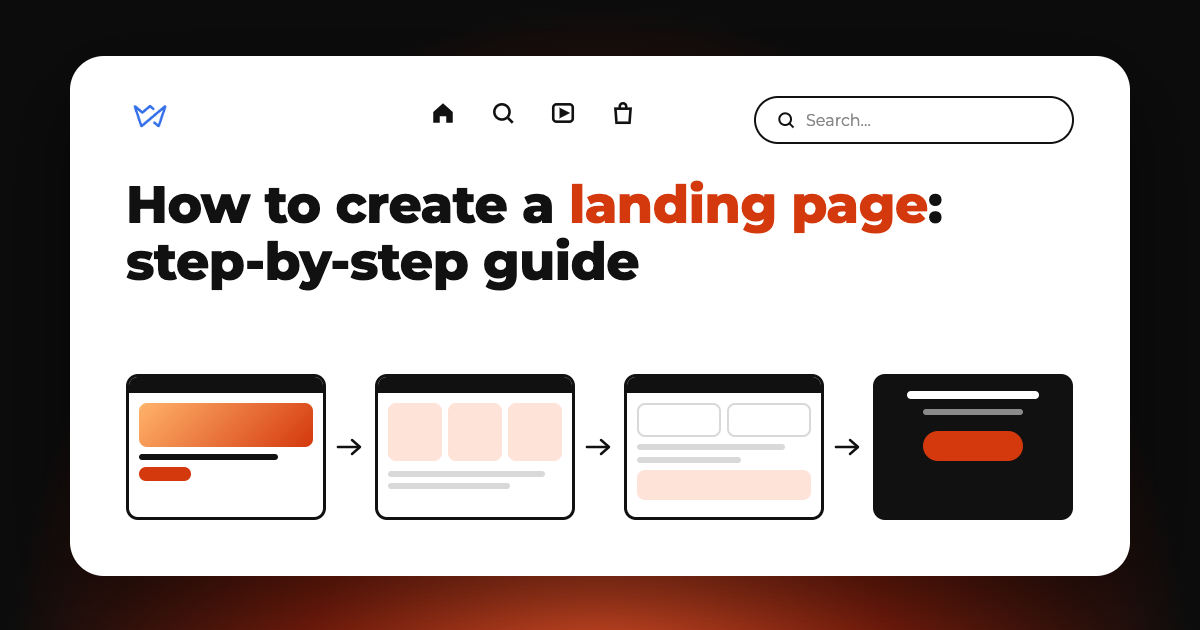
- Plan your landing page structure. Organize the sections visitors need to understand your offer.
- Write a compelling copy. Explain the benefits, address customer concerns, and use clear calls to action.
- Customize the design. Add relevant images, brand colors, and readable typography.
- Add functional elements. Set up contact forms, booking options, payment buttons, or other necessary integrations.
- Optimize for mobile. Make sure the page looks and works well on different screen sizes.
- Test and publish. Check every button, form, and link before sharing your page.
What is a landing page?
A landing page is a standalone web page designed to encourage visitors to take one specific action, such as buying a product, booking a service, signing up for an event, or submitting a contact form. Unlike a traditional website, which usually has multiple pages and serves different purposes, a landing page focuses on a single offer and conversion goal.
That action might be:
- Buying a product.
- Booking an appointment.
- Requesting a quote.
- Signing up for a newsletter.
- Registering for an event.
- Downloading a guide or resource.
- Requesting a product demonstration.
For example, a local fitness studio might have a website with separate pages for its classes, trainers, membership plans, and contact information. But when promoting a new yoga course, it can create a dedicated landing page with the course schedule, benefits, instructor information, pricing, and a registration button.
What are landing pages used for?
A landing page for small businesses, freelancers, startups, and entrepreneurs is a great option when you need a dedicated online space for one product, service, or campaign.
| Landing page type | Goal | Example |
| Product landing page | Promote and sell a product | A skincare brand introducing a new moisturizer |
| Service landing page | Generate inquiries and bookings | A cleaning company advertising its services |
| Lead generation landing page | Collect contact information | A business offering a free consultation |
| Event landing page | Encourage registrations | A workshop or conference announcement |
| Coming soon landing page | Build interest before launch | A startup announcing an upcoming product |
| Campaign landing page | Support a marketing campaign | A seasonal promotion or limited-time offer |
| App landing page | Encourage downloads | A company introducing a mobile app |
Landing page vs website: what’s the difference?
A landing page and a traditional website can look similar, but they have different purposes.
A landing page focuses on one conversion rate goal, while a website provides a broader overview of a business and usually includes several interconnected pages.
| Feature | Traditional website | Landing page |
| Main goal | Present a business and its offerings | Encourage one specific action |
| Structure | Multiple pages | Usually one long page |
| Landing page copywriting | Covers different topics, products, and services | Focused on one offer |
| Navigation | Full navigation menu | Minimal or limited |
| Conversion target | Multiple possible actions | One primary action |
| SEO opportunities | Can target multiple topics and search intents | Targets a specific topic or offer |
| Creation time | Needs planning and content | One-day project |
| Best for | Businesses with multiple offerings | Campaigns, products, services, and events |
When should you create a landing page?
A landing page makes sense when:
- You have one product or service to promote
- You’re launching a new offer
- You need a dedicated page for paid advertising
- You want to collect leads or event registrations
- You’re testing demand for a product
- Your business doesn’t need a complex online presence yet.
For example, a freelance designer might create a landing page to promote logo design services. It can include a portfolio, pricing information, testimonials, and a consultation form without requiring separate pages for every service.
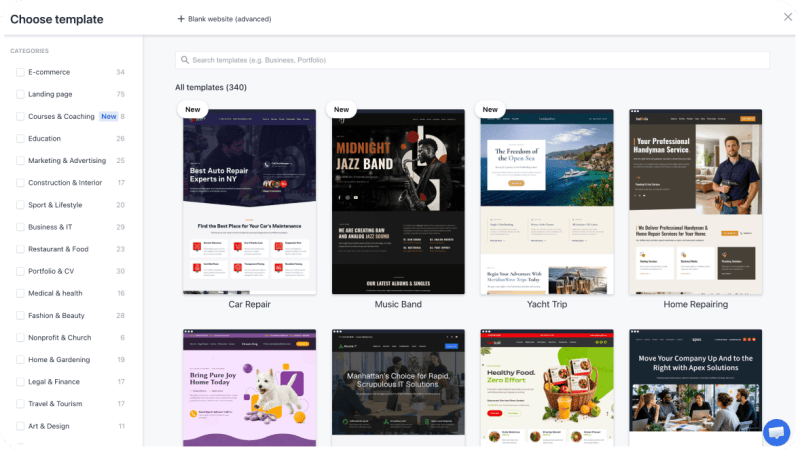
Everything your business needs, all with 1 page website builder. Check out single page website templates free of charge on Weblium.
Learn more about one page website builder
When do you need a full website?
A traditional website is a better choice if your business needs more space to present its offerings. Consider building one if you:
- Offer multiple products or services with detailed descriptions and pricing
- Want to publish a blog to share useful content and attract organic traffic
- Need to provide company information (brand story, team, portfolio, etc.)
- Serve different customer groups that need tailored information or offers
- Plan to grow by adding new pages, product categories, or functionality.
Learn how to make a landing page or a website from scratch. Browse through every stage of the process. Get practical tips and follow each step to bring your website idea to life.
Read the guide to creating a website step by step
How to create a landing page without a website
You don’t need an existing website.
A landing page can be published as a standalone website with its own URL. A landing page for small businesses, freelancers, startups, and entrepreneurs is great for promoting one offer without investing in a full multi-page website.
Landing page structure
An effective landing page follows a logical structure. It answers visitors’ questions in the right order: What are you offering? Why should they care? How does it work? Why should they trust you? What should they do next?
1. Hero section
The hero section is the first thing visitors see when they open your page. It should immediately communicate what you’re offering and why it matters.
Include:
- A clear, benefit-focused headline
- A short supporting description
- A prominent call-to-action (CTA) button
- A relevant product or service image.
2. Benefits and unique selling proposition
Explain why customers should choose your offer over other options. Focus on the value your product or service provides rather than simply listing its features.
| Feature example | Customer benefit |
| Same-day delivery | Choose products made without unnecessary additives |
| Natural ingredients | Choose products made without unnecessary additives |
| Flexible scheduling | Book a service at a convenient time |
| Personalized consultations | Get recommendations based on your needs |
3. Product / service details
Give visitors enough information to understand what they’re getting. For physical products, use clear photos from different angles. For services, explain what customers can expect before, during, and after the experience.
Product or service details can include:
- Product photos and descriptions
- Service packages and what’s included
- Pricing or starting prices
- Specifications and key features
- Available options, sizes, or variations.
4. How it works
Explain the process in a simple sequence. You should reduce uncertainty and help visitors understand what happens after they click your CTA.
For example, a home renovation service might use three steps:
- Submit a project request
- Discuss your requirements with a specialist
- Receive a quote and schedule the work.
5. Testimonials / social proof
People are more likely to trust a business when they can see evidence of positive customer experiences. Use authentic feedback and real customer experiences. Specific testimonials are generally more convincing than generic praise.
You can use:
- Customer testimonials
- Reviews and ratings
- Client logos, where permission is available
- Before-and-after photos
- Case studies
- Relevant certifications or awards.
6. FAQ section
Visitors may still have questions before taking action. Help address common concerns without requiring them to contact you.
Consider answering questions about:
- Pricing and payment methods
- Delivery or service availability
- Booking and cancellation policies
- Product specifications
- Returns and warranties
- How to get started.
7. Final call to action
End your landing page with a clear next step. Lead to the correct form, booking system, checkout, or contact method.
For example:
Ready to Give Your Home a Fresh Start?
Book your first cleaning appointment today.
CTA: Schedule a Cleaning
8. Contact form & footer
Keep your contact form. Every additional field requires more effort from visitors, which can discourage them from submitting.
Ask for:
- Name
- Email address
- Phone number
- A short description of their needs.
Add business information, contact details, social media links, and privacy policy information to your footer. This gives visitors an easy way to find essential information, whether they’re exploring your services or considering a purchase.
Landing page structure checklist
- Hero. Headline, offer, CTA, visual
- Benefits. Main advantages and USP
- Details. Description, features, pricing
- How it works. Steps or process.
- Social proof. Reviews, testimonials, results
- FAQ. Answers to common questions
- Final CTA. Clear next step
- Contact form. Fields for inquiries or registrations
- Footer. Contact details and links.
Start with the essentials. You can always add more landing page elements as your website grows and your needs change. Focus on what helps visitors understand your offer, build trust, and take action.
Want to learn more about what makes a landing page effective? Read our guide for a closer look at each component and tips on how to use it.
What are the key landing page elements
How to create a landing page step by step
You don’t need coding skills or professional design experience. A landing page creator and a clear plan are enough to get started.
Step 1. Set your goal and target audience
Before choosing a landing page template, decide what you want visitors to do. A landing page should have just one primary conversion goal.
Start by answering three questions:
- What am I promoting?
- Who is my target audience?
- What action should visitors take?
For example:
Local bakery → Get orders for a seasonal cake collection → Order a Cake
Fitness coach → Book introductory consultations → Book a Consultation
Online educator → Get workshop registrations → Save My Spot
Skincare brand → Sell a new product → Shop Now
Event organizer → Sell conference tickets → Get Tickets
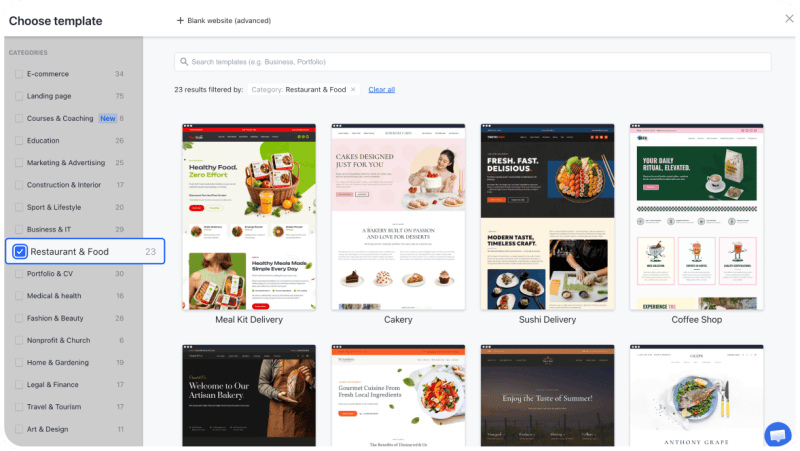
Step 2. Choose a landing website template
Use ready-made landing website templates to get a visual foundation and organize information faster. When browsing website landing page templates, consider:
- Purpose. Does the layout suit your product, service, or campaign?
- Structure. Does it include the sections you need?
- Visual style. Does it match your brand?
Find a landing page design that works for your goals. Whether you want to generate leads, promote a product, or collect sign-ups, start with one page website templates with a professional layout.
Check out free landing page templates
Step 3. Plan your landing page structure
Once you’ve chosen a template, decide which sections to keep, remove, or add.
Start with the essentials:
- Hero section.
- Benefits and unique selling proposition.
- Product or service details.
- How it works.
- Testimonials or other trust signals.
- FAQ.
- Final CTA.
Arrange them in a logical order. Think about the questions visitors might have and provide the answers as they move down the page.
For example, someone considering a photography package might want to know what’s included, see previous work, compare pricing, read customer reviews, and understand how to book.
With Weblium landing page builder, you can easily customize a template – simply add, remove, and rearrange content blocks to match your planned structure (or use the built-in AI toolkit to generate new blocks or quickly fine-tune anything on the page).
Step 4. Add your content
Fill your landing pages with content that helps visitors understand your offer, see its value, and take action. Use images, videos, illustrations, product photos, testimonials, and other visuals to make your message clear and engaging.
Follow these principles:
- Lead with the key benefit. Make sure visitors quickly understand what you’re offering and why it matters to them.
- Use relevant visuals. Choose high-quality images, product photos, or videos that support your message and show what customers can expect.
- Keep your message clear. Use simple, specific language and avoid unnecessary details.
- Show, don’t just tell. Add customer reviews, case studies, statistics, or examples to build credibility.
- Make content easy to scan. Break up text with headings, bullet points, icons, and visual elements.
- Highlight important actions. Use clear, action-oriented CTAs that tell visitors what to do next.
- Keep everything consistent. Match your images, colors, fonts, and overall style to your brand.
You don’t have to create every element from scratch. Weblium’s Evo AI assistant can help you improve your text and generate landing page copywriting ideas, while AI-generated blocks give you ready-made sections to add to your landing page. You can easily edit text, images, layouts, and other elements in one intuitive editor, with everything managed from a single dashboard.
Make every part of your landing page work at its best. Learn how to improve your messaging, build trust, and encourage visitors to take action.
Check out landing page best practices by Weblium
Step 5. Customize your landing page design
Choose images that support your message rather than simply filling empty space. Depending on your business, use:
- High-quality product photos.
- Images of your team or workspace.
- Before-and-after comparisons.
- Portfolio samples.
- Short product or service videos.
- Illustrations and icons.
Keep your landing page design consistent. Use a limited color palette, readable fonts, and enough whitespace to make important elements stand out.
Pay special attention to CTA buttons. They should be easy to find and visually distinct from the surrounding content.
Step 6. Add forms and connect useful tools
Make it easy for visitors to take the next step (request info, book an appointment, buy). Add forms and tools and remove unnecessary steps from the process.
Depending on what you offer, you can add:
- Contact forms to collect inquiries, consultation requests, and customer details.
- Booking forms to let visitors schedule appointments, consultations, or services.
- Order forms to collect product selections and purchase details.
- Quizzes to help visitors find suitable products or services, collect preferences, and generate qualified leads.
- Payment integrations to accept online payments directly.
- CRM systems to organize customer information and manage incoming leads.
- Analytics tools to track visitor behavior and measure conversions.
- Email marketing services to follow up with subscribers and potential customers.
Step 6. Check your landing page on mobile
Many visitors will open your landing page on a smartphone, especially if they arrive from social media or mobile ads. A mobile-friendly page should be easy to read, navigate, and interact with on a smaller screen.
Check the following:
- Headlines fit without awkward line breaks.
- Text is readable without zooming.
- Buttons are large enough to tap comfortably.
- Forms are easy to complete.
- Images scale correctly.
- Sections don’t feel overcrowded.
- Important information appears in a logical order.
Weblium landing page templates are designed to adapt to different screen sizes, but you should still preview your customized page on mobile before publishing.
Step 7. Set up your domain and publish
Before publishing, choose how visitors will access your page.
With Weblium, you can publish your landing page using a free Weblium subdomain or connect your own custom domain to give it a more professional, branded URL. A dedicated domain makes your page easier to recognize and share in ads, social media posts, and email campaigns.
If you’re building a separate landing page for a small business campaign, choose a clear, memorable URL that reflects your offer.
Also, check the basic technical settings:
- Page title and meta description.
- URL slug.
- Favicon.
- SSL certificate.
- Form submission behavior.
- Privacy policy and other relevant legal information.
Once everything is ready, publish the page and test it as a visitor would. Check that all links, forms, buttons, and integrations work correctly on both desktop and mobile devices.
Can you create a landing page for free?
You can find a website builder and landing page maker that advertise free plans or trial periods.
However, free access doesn’t always include everything you need to publish a professional page. Some platforms restrict custom domains, storage, integrations, branding removal, or publishing options.
Build a landing page for free with Weblium. Start with ready-made one page website templates, customize text, images, and layouts, and add forms or other elements to match your goals. Weblium landing page templates are an easy way to publish the same day, even if you’ve never created a website before.
Learn more about Weblium’s free landing page builder
How long does it take to create a landing page?
A simple landing page built with a template might take a few hours of focused work.
| Task | Estimated time |
| Define the goal and audience | 30–60 minutes |
| Choose a template | 15–45 minutes |
| Plan the structure | 30–60 minutes |
| Prepare the content | 1–3 hours |
| Customize the design | 1–3 hours |
| Add forms and integrations | 30–90 minutes |
| Test and publish | 30–60 minutes |
What can help you build a landing page faster?
- Start with a template instead of starting from scratch.
- Prepare your text and images before opening the editor.
- Focus on essential sections rather than adding everything.
- Use existing brand colors and fonts.
- Keep forms simple.
- Test the most important elements before publishing.
Landing page examples: Templates to inspire your design
Here are several design categories you can check out when choosing a landing website layout.
See what makes a great landing page. Explore landing pages from different industries to see how businesses present their offers, structure their content, and turn visitors into customers.
Check out the top 20 landing page examples
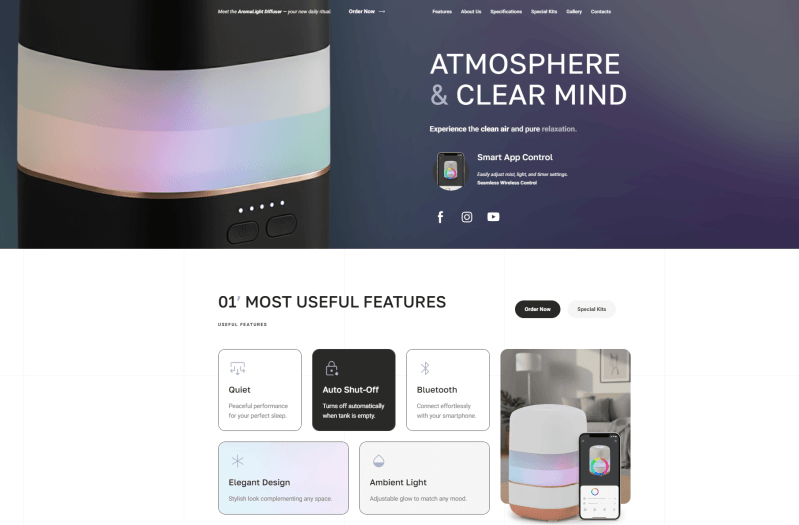
Product landing page
A product-focused layout should give the main offer plenty of visual space. Include product photos, benefits, key features, pricing, and a purchase CTA.
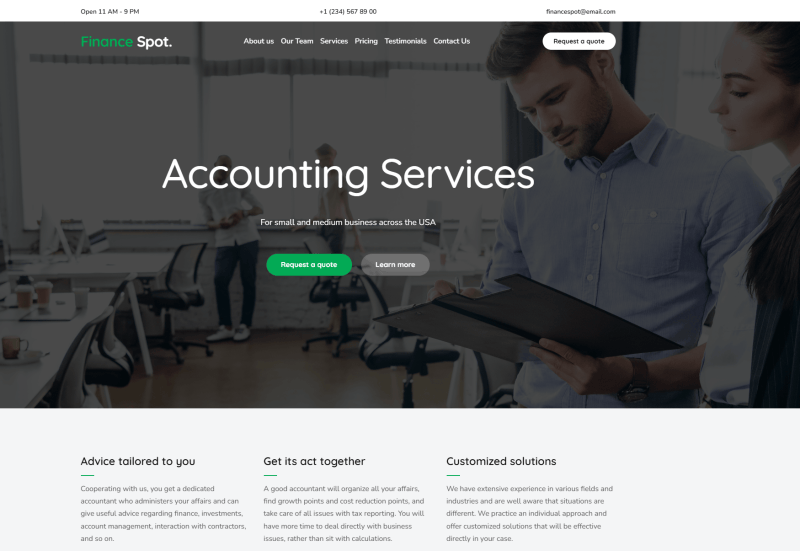
Service landing page
A service-focused design should explain what you offer, who it’s for, and how customers can get started. Add testimonials, a process overview, and a booking or inquiry form.
Coming soon landing page
A coming-soon page is useful when you’re preparing to launch a product, service, or business. Include a short announcement, an expected launch date if available, and a way to collect interested visitors’ email addresses.
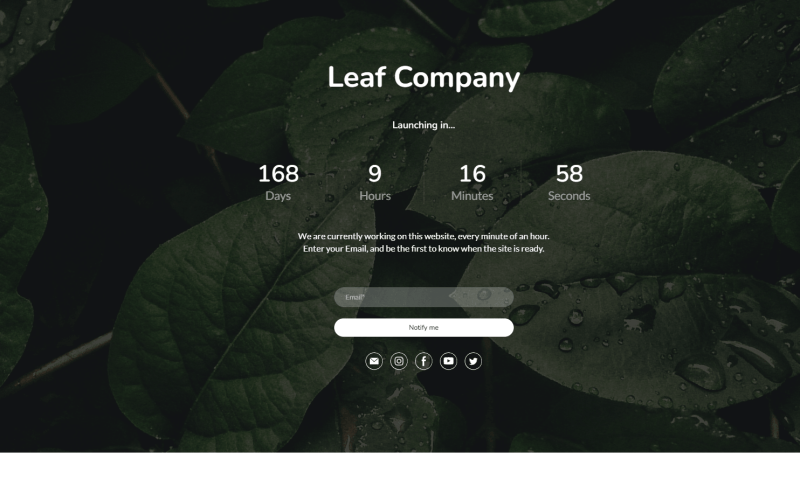
Create a page that builds excitement. Discover different ways to introduce your upcoming product, service, or website. Browse real examples for ideas on page layouts, headlines, visuals, and sign-up forms you can use for your own launch.
Check out the best coming soon landing page examples
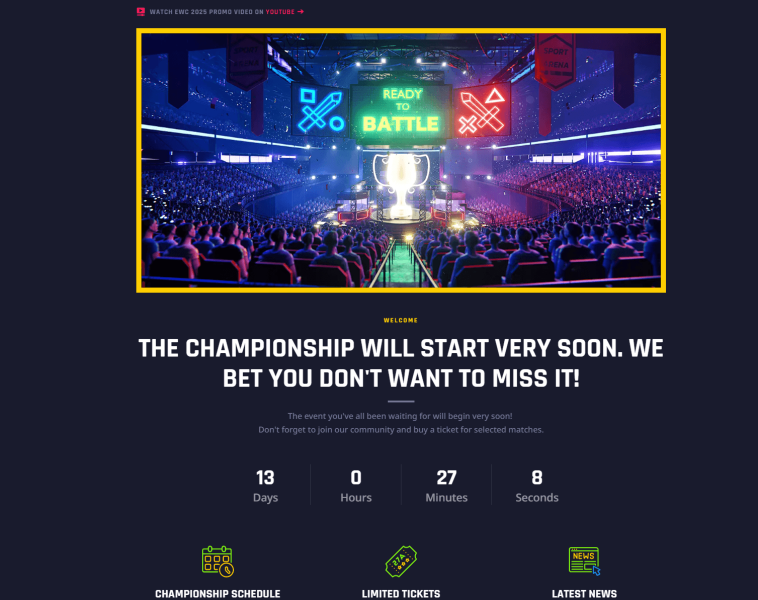
Event or campaign landing page
This layout should communicate the main event details, highlight the benefits of attending, and make registration or ticket purchasing straightforward.
Landing page best practices: A quick pre-launch checklist
Before sending traffic to your new page, take a few minutes to review it. Use this quick landing page checklist to make sure the essentials are in place.
Content and messaging
- The page has one clear conversion goal.
- The headline explains the offer.
- The main benefits are easy to understand.
- The copy addresses the target audience’s needs.
- Product or service details are accurate.
- The CTA clearly explains the next step.
- FAQs address common objections.
Design and UX
- The layout follows a logical order.
- Images are relevant and high quality.
- Fonts and colors are consistent.
- CTA buttons are easy to notice.
- The page works on smartphones and tablets.
- There are no broken links or missing images.
Technical Setup
- The page URL is clear and readable.
- The page title and meta description are set.
- The SSL certificate is active.
- Contact forms work correctly.
- Form submissions reach the right destination.
- Analytics tools are connected (if needed).
- Privacy and legal information is available (where required).
There’s more to launching a website than checking links and buttons. Our full landing page checklist covers essential website sections, pages, text, images, forms, and technical settings. Find out what to prepare for each element, what content to include, and how to make sure nothing important is missing. Use Weblium’s complete content and landing page checklist
FAQ
What is a landing page?
A landing page is a standalone web page designed to encourage visitors to take one specific action, such as buying a product, booking a service, or submitting a form. The landing page structure focuses on one offer and a clear call to action.
What is the difference between a landing page and a website?
A landing page vs website comparison comes down to purpose and structure. A landing page promotes one offer and focuses on a single conversion goal, while a traditional website has multiple pages covering different products, services, and company information.
Can I create a landing page without a website?
Yes. You can do it without a website using a landing page builder. It can work as a standalone page with its own URL, so you don’t need to build a full multi-page website first.
How long does it take to create a landing page?
A simple landing page can take a few hours to create with a ready-made template. The timeline for how to create a landing page for a product or service depends on how much landing page copywriting, design work, and functionality you need.
What should a landing page include?
A good landing page structure typically includes a headline, offer description, benefits, relevant visuals, testimonials, FAQs, and a clear CTA. Add only the landing page elements that help visitors understand your offer and take action.
How do I create a landing page without coding?
Use a landing page creator with a visual editor. Choose a template, customize the text and images, arrange the sections, add forms or buttons, and publish your page without writing code.
How to create a landing page for free?
Some platforms offer a free landing page builder or trial, but publishing options and features may be limited. Check whether the plan includes a custom domain, forms, and the tools you need before choosing one.
What makes a good landing page?
Effective landing page design combines a clear offer, persuasive copy, relevant visuals, and an easy-to-find CTA. Follow landing page best practices by keeping the message focused, making the page mobile-friendly, and removing unnecessary distractions.