What Is a Quiz and How to Generate High-Quality Leads
Modern users expect fast, simple experiences (not long forms or overwhelming landing pages). A short set of questions that delivers personalized results feels easier, faster, and far more engaging. That’s why quizzes are now one of the most effective tools for lead generation.
With the right approach, a quiz engages and converts. It helps turn visitors into potential clients in a natural, value-driven way. In this article, you’ll learn what a website quiz is, how it works, and how to use it to drive real results for your business.
Contents
Quiz Explained
A quiz is an interactive, step-by-step questionnaire that helps you engage users, learn what they’re looking for, and collect their contact information.
Unlike traditional forms, quizzes feel like a conversation. Users move step by step through questions and receive a tailored result (for example, a recommendation, price calculation, or custom offer).
Think of a quiz as a smart mini funnel that helps you:
- attract attention
- identify user intent
- present the perfect solution
- capture high-quality leads.
Will a Quiz Work for Your Business?
A quiz is a versatile tool, but it delivers the best results when customers need help making a decision or require a consultation.
When to Use a Quiz:
- You offer a complex or customizable product
- Customers need help choosing
- You provide services or consultations
- Audience segmentation is important
- There are multiple variables: budget, timeline, format
- You need to pre-qualify leads
- The sale involves a consultation or a call
- You run ads and want to increase conversion.
When a Quiz May Be Unnecessary:
- Your product is simple and self-explanatory
- Users already know exactly what they want
- Your business relies on quick impulse purchases
- Additional customer data isn’t necessary
- Your product has fixed pricing and conditions
- You work with all inquiries without filtering
- Purchases happen without a manager
- You don’t rely on paid traffic.
Where Quizzes Work Best?
Quizzes are used in many industries, and they’re especially effective when personalization and smart recommendations matter.
In real estate, renovation, and interior design, quizzes help quickly understand a client’s needs, budget, and project scope. In finance and insurance, they make it easier to calculate and recommend the right options.
In fashion and style, quizzes create personalized suggestions based on what users like. In online learning, they help identify skill levels and recommend the right courses.
E-commerce brands use quizzes to suggest products, making it easier for customers to buy. Agencies, contractors, and freelancers rely on quizzes to collect details and qualify leads before starting a project.
In fitness and wellness, quizzes help build custom plans for workouts, nutrition, or products. In the beauty industry, they guide users toward the best skincare and cosmetics.
In travel and events, quizzes match users with the right trips or event formats. And in B2B, they help understand client needs before the first call, saving time and improving results.
When Should You Use a Quiz?
Quizzes can support your customer journey at every stage, from the first click to the final purchase. Here’s where they make the biggest difference.
Driving More Traffic
A website quiz is often used as an entry point into the sales funnel. Instead of a standard ad with a “Buy” button, users are invited to take a short quiz and receive a useful result.
This approach works better because it reduces sales pressure and sparks curiosity. Formats like “Find out in 1 minute…” or “Take the quiz and get…” attract much more attention in ads and on social media.
Collecting User Data
One of the main goals of a quiz is to collect contact details and additional information about potential customers. Unlike traditional forms, users are more willing to share their data after answering a few questions.
In addition to basic contact details, an online quiz helps gather valuable insights such as budget, needs, timeline, and preferences – allowing businesses to work with more qualified leads.
Understanding Customer Needs
A quiz acts like a quick diagnosis. By asking the right questions, you can figure out what the user is looking for and what problem they want to solve.
This is especially helpful for complex or expensive products, where customers aren’t always sure how to describe their needs. A quiz helps organize their thoughts and guide them toward the next step (a consultation or purchase).
Addressing Concerns
During the quiz, you can gently address common customer concerns through answer options, hints, or short explanations.
As a result, users get answers to their concerns (about pricing, timelines, complexity, or outcomes) even before speaking to a manager. This shortens the sales cycle and improves conversion rates.
Guide Users to the Right Choice
Quizzes are great for personalization. Based on their answers, users get a result tailored specifically to their needs or challenges.
This could be a product recommendation, a service suggestion, or a preliminary price estimate. This approach simplifies decision-making and builds trust, as you provide a highly personalized solution rather than a generic offer.
Why Quizzes Are a Game-Changer
Quizzes combine the power of forms, consultations, and personalized offers, creating a smarter, more engaging user experience.
High conversion. The interactive format increases the number of leads compared to traditional forms.
Strong engagement. Users prefer interacting with content instead of just scrolling through it.
Wider audience. Quizzes can be easily scaled through ads and used as standalone landing pages.
Easy to start. A quiz feels simple and natural, without the pressure of a sales pitch.
Interactive experience. Quizzes create a dialogue-like interaction with the brand, increasing loyalty.
Building trust. Users get helpful results before they even leave their contact details.
Smarter segmentation. Group your audience based on their answers and communicate more effectively.
Flexible use. Quizzes can be adapted for different industries and goals, from sales to research.
Quiz Ideas for Different Businesses
Example 1: Spanish Language School
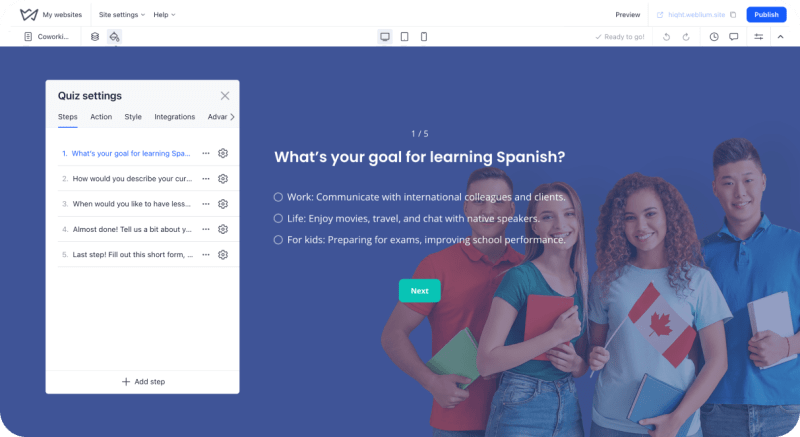
If you run an online language school and want to attract more students, a quiz can help you do that. You can create a quiz landing page that helps users find the right course based on their level and goals.
Ask questions like:
- what’s your current Spanish level?
- what’s your goal (career, travel, education, kids)?
- which format suits you best: one-on-one or group classes?
- when is the best time for your lessons?
- when are you ready to start?
- leave your contact details (name, phone, email).
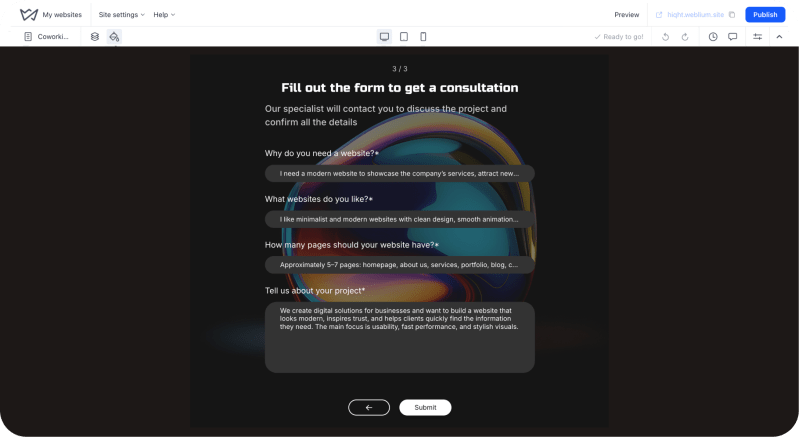
Example 2: Web Development Studio
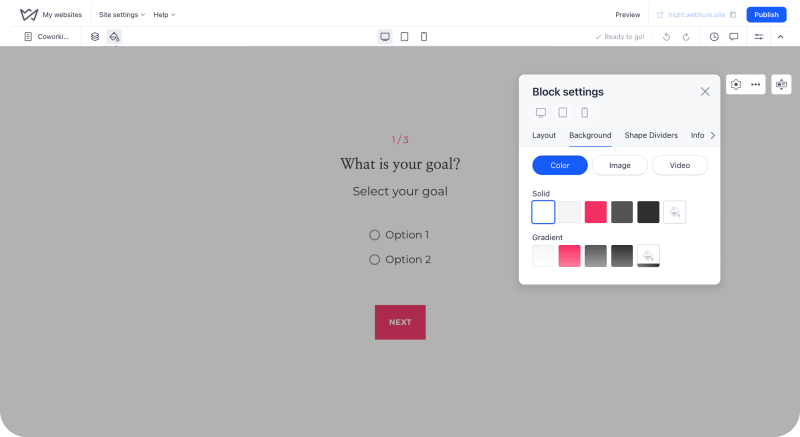
Want to quickly understand client requests and estimate projects? A quiz can help. Create a quiz page where users can get a rough idea of the cost based on their answers.
You can include questions like:
- why do you need a website?
- share 1–3 websites you like
- how many pages do you need?
- tell us more about your project or niche
- your contact details (name, phone, email).
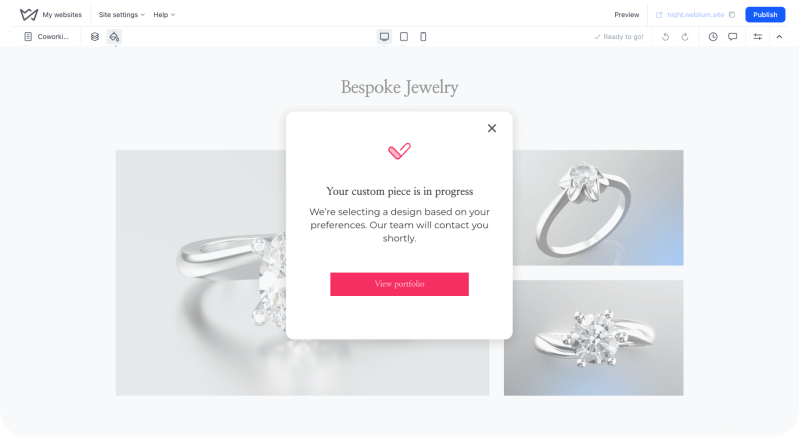
Example 3: Jewelry Workshop
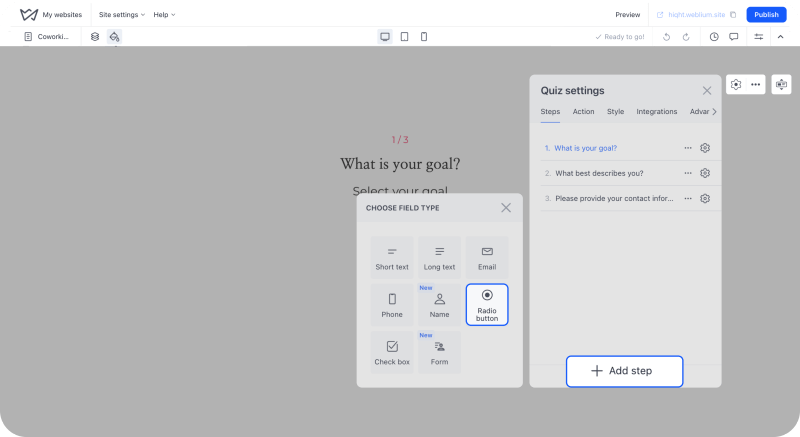
If you design custom jewelry, a quiz is a great way to help customers find the perfect piece. You can create a quiz that guides them to a personalized selection or recommendation.
Possible questions include:
- what type of jewelry do you want?
- which metal do you prefer?
- what stones should be included?
- share any additional details or ideas
- leave your contact details (name, phone, email).
How to Create a Quiz
You don’t need any technical skills to build a quiz, especially if you’re using a website builder like Weblium. You can have everything ready in just a few hours.
1 Set Your Goal
Decide what you want from your quiz: more leads, better audience insights, or helping users choose a product.
2. Pick a Clear Topic
Choose something simple and useful, like “Find the Right Service” or “Get a Price Estimate”.
3. Start with a Template
Use ready-made blocks in Weblium and adjust them to your needs. No design work required.
4. Add Questions Step by Step
Create 5-7 easy questions that help you understand your user better. Keep everything clear and straightforward.
5. Collect Contact Details
Add a short form before showing results so users can leave their email or phone number.
6. Launch and Share
Publish your quiz and promote it through ads, social media, or search engines.
Benefits of Weblium’s Quiz Builder
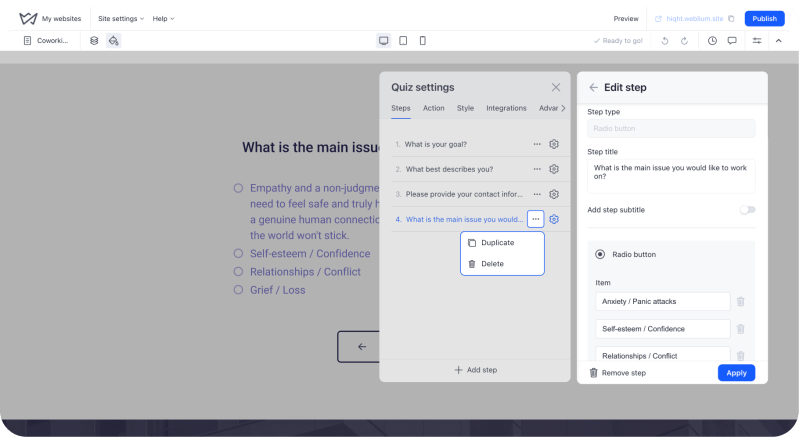
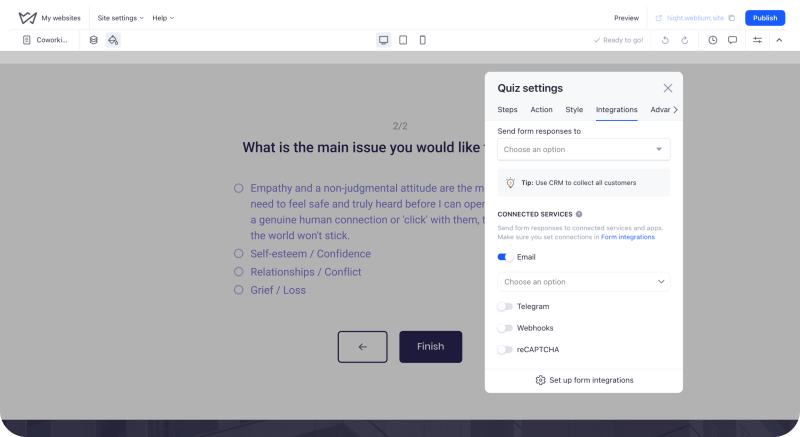
Creating a quiz may seem complex if you rely on separate tools or involve developers. Weblium solves this by combining all the necessary features in one intuitive environment: a website editor, quiz builder, and built-in CRM.
All user responses are automatically stored in the CRM, making it easy to manage leads and track submissions. You get full control over your data and can efficiently handle communication in one place.
Easy Setup
Weblium’s interface is built on a drag-and-drop system, so you can create a quiz without any technical skills. Simply add blocks, edit text, and choose answer options.
Consistent Design
The quiz automatically adapts to your website’s style. Colors, fonts, and spacing remain consistent. This ensures a cohesive and professional look without extra design work.
Flexible Pricing
Weblium offers flexible pricing plans suitable for both beginners and businesses. You can start with basic features (from $8.25/month) and scale as your project grows.
All-in-One Platform
Your website, quiz, lead capture forms, and basic analytics are all in one place. No need for third-party tools or time-consuming integrations.
Fast Launch
You can create and publish a quiz in just a few hours. It’s perfect for testing ideas and quickly launching advertising campaigns.
Ready-to-Use Templates
Weblium offers a set of pre-built blocks and templates optimized for conversion. There’s no need to build your structure from scratch. Simply adapt everything to your business.
Responsive Design
Your quiz will look good and work as intended on smartphones, tablets, and desktops. This is crucial, as most users complete quizzes on mobile devices.
Built-In Lead Capture Forms
You can collect user contact details right away without additional integrations. All data is stored within the system and is ready for further use.
Better Conversion
Weblium’s interface and blocks are designed with the best modern UX practices in mind, helping increase completion rates and the number of leads.
Easy Marketing Integration
Use your quiz as a standalone page or as part of a landing page. Easily connect it to advertising campaigns and collect leads from multiple channels.
Mistakes to Avoid When Creating a Quiz
Even a good quiz can underperform if it has some basic issues. Usually, the problem isn’t the tool you’re using. It’s how everything is structured and presented. If it feels confusing or too complicated, users will just leave. Here are some common mistakes to watch out for.
Not Segmenting Your Audience
If your quiz treats everyone the same, it won’t feel relevant. Try to understand who your user is from the start. Are they a beginner or experienced, an individual or a business?
Questions That Are Too Complicated
If users don’t understand the wording or terminology, they won’t try to figure it out. Keep your quiz simple and easy to follow. Add explanations or simplify phrasing where needed.
No Ready-Made Answers
Asking users to type everything manually makes the process harder. It’s much better to offer answer options they can choose from with one click.
Poor User Interface (especially on mobile)
Small buttons, dropdowns, or complex elements make interaction difficult, especially on smartphones. A quiz should be mobile-friendly: large buttons, simple choices, and minimal steps.
No “Not Sure” Option
Users don’t always know things like their budget or exact requirements. If they can’t find a suitable answer, they may leave. Add options like “Not sure” or “Need help”.
Too Many Questions
Long quizzes can feel overwhelming and reduce completion rates. Aim for 4-7 questions and make sure they are meaningful and bring the user closer to a result.
No Reason to Leave Contact Details
If users don’t see a clear benefit, they won’t share their information. Offer something valuable (like a discount, bonus, free consultation, or personalized result).
Final Verdict: Is a Quiz Worth It?
Quizzes are no longer just a fun website feature. They’re a powerful tool for generating better leads and understanding your audience.
They work especially well when customers need help making a decision or when personalization matters. That’s why quizzes are popular in services, education, e-commerce, and many other industries.
A quiz helps you:
- make it easier for customers to choose
- build trust
- collect useful data
- get more leads.
And the best part? You can create a quiz quickly and without technical difficulties directly on your website using Weblium. So the answer is simple: if you want more leads and better customer interaction, implementing a quiz is a must.


![How to Create a Website Step by Step [Guide]](https://weblium.com/blog/wp-content/uploads/2018/02/How-to-Create-a-Website-Step-by-Step-Guide.jpg)